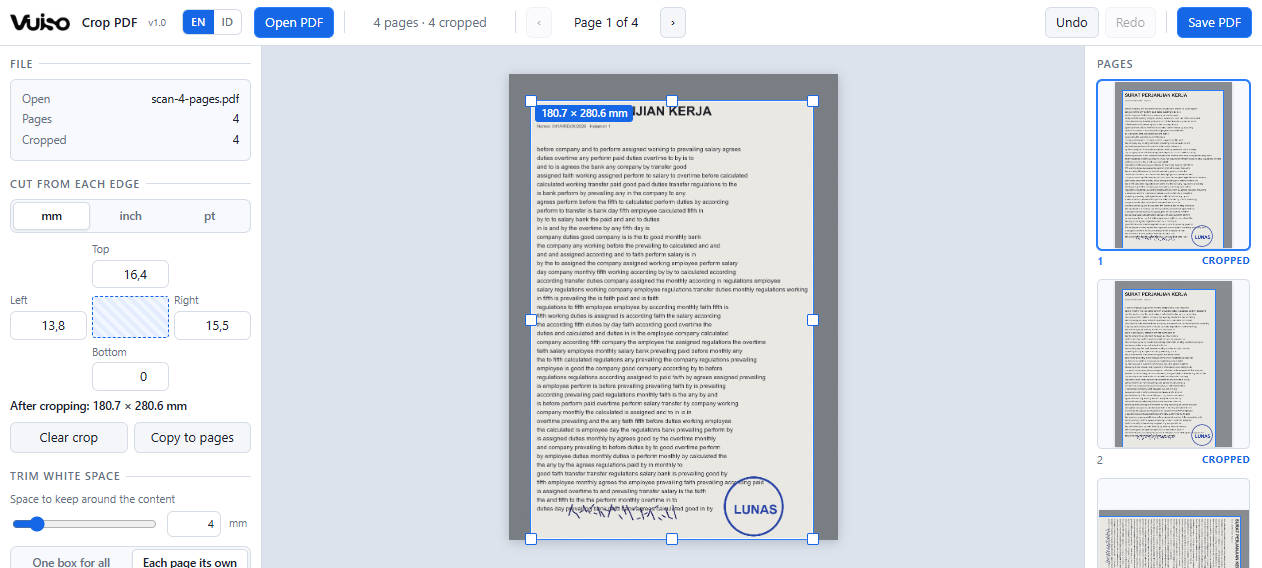
Set it by eye, make it exact with numbers, or let it find the content for you.
The strip of pages shows where every crop has landed before anything is saved.
Draw it on the page
Drag the corners and edges of the box on a large view of the page, drag inside it to move it, or drag outside it to draw a new one. The margins in the sidebar follow, in millimetres, inches or points, so a box set by eye can then be made exact.
Trim white space automatically
It finds where the ink starts on each page and cuts to that, leaving the space you choose. One box that fits every page, so the document keeps one page size, or each page cut to its own content. Dust and stray dots are ignored.
Every page, or the ones you name
One crop on every page, this page only, odd or even pages, or a range you type such as 1-3, 7, 10-. Scanned books with a wider margin on alternate sides are what odd and even are for.
Right way up on sideways scans
The box is drawn on the page as you see it and translated onto the page as it is stored, so a crop on a scan that carries its own rotation lands exactly where you drew it.
Cropping hides. This can also delete.
An ordinary crop only changes which part of a page is shown, in every PDF program; what was cut away can be brought back. Tick Remove the cut-away part for good, and cropped pages are rebuilt from a picture of only what is left.
Everything else stays
An ordinary crop re-encodes nothing: text stays selectable and searchable, and links, bookmarks and form fields survive. Undo and redo cover every change to the box, on every page.