AES-256 encryption, the strongest a PDF can carry, done by your own browser. Choose what the reader may do with the file, then save the locked copy.
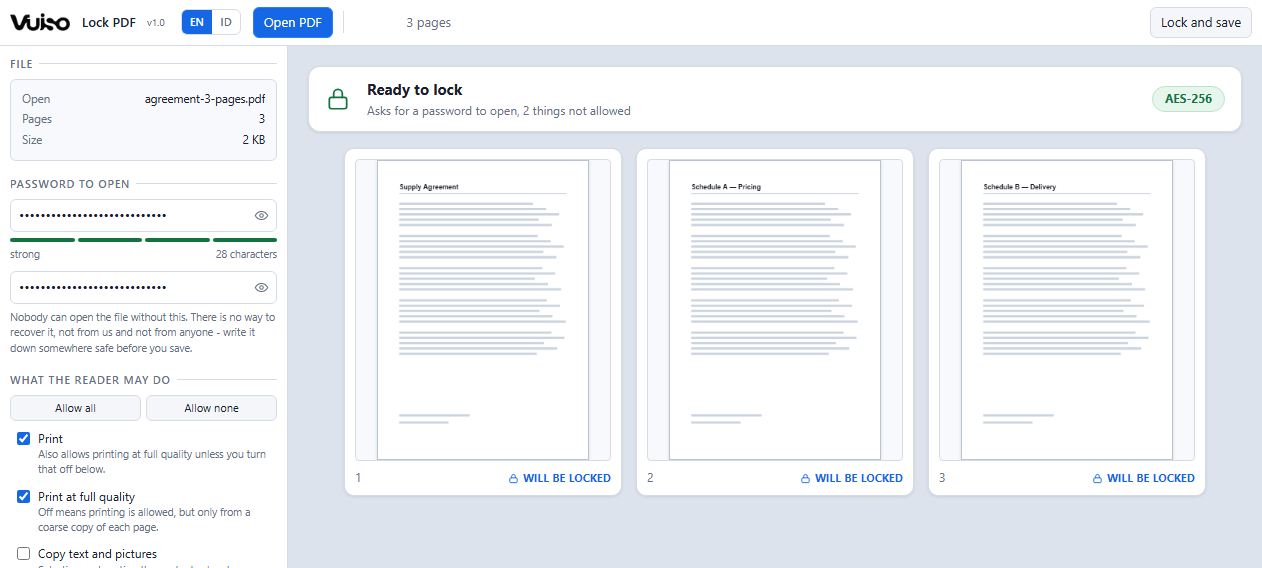
The line above the pages adds up every setting into one sentence: whether a password is asked for on opening, and how much of what a reader can normally do has been taken away.
The contents of the file are encrypted with a key derived from your password. Without it, no program can read the document at all.
The standard security handler at revision 6, as defined in PDF 2.0: AES-256, with a password hash deliberately built to be slow to guess at. Read by Acrobat, Chrome, Edge, Firefox and Preview on macOS. The document's own metadata is encrypted along with its pages.
Printing, printing at full quality, copying text and pictures, editing the contents, adding and removing pages, commenting, filling in forms, and being read aloud by a screen reader. Set them one at a time, or allow and deny the lot in one click.
Give readers the password that opens the file and keep the owner password yourself: they can read the document but not print it, while you still can. Or let anyone open it without a password at all, and keep only the restrictions.
The password is typed twice, both fields have an eye to read back what you typed, and the button stays out of reach until the two agree. A strength meter weighs length over punctuation, because that is what actually makes a password hard to guess.
It is handed to the browser's own encryption and then forgotten. Nothing is stored: not in the page, not in the browser, not on a disk, not on a server. The page cannot open a network connection at all, so there is nowhere for it to go.
Nothing is re-encoded or rebuilt. Every page comes out of the locked copy pixel for pixel identical to the original, with bookmarks, links, form fields and searchable text intact. The only difference is that it now needs a password.
Most free online tools that "protect" a PDF send it to somebody else's computer, along with the password you chose, and then ask you to trust that both were deleted afterwards. For the kind of document worth locking in the first place, that is the strangest bargain on the internet. Vuiso does not work that way: everything happens inside your own device, exactly like opening a file in a program installed on your computer.
The easiest way to check: switch off your Wi‑Fi or unplug your internet, then use it as usual. Everything still works. A tool that quietly sends your file to someone else's server could not do that. As an extra safeguard, the page is locked down from the start, so your own browser blocks anything that tries to send data out.
Lose it and the file is gone, not merely difficult. Vuiso never sees your password, stores no copy of it anywhere, and has no reset, no recovery code and no back door to offer you. AES-256 cannot be brute-forced, and that includes by you. Write it down somewhere safe before you press Save, and keep the original unlocked file at least until you have opened the locked copy successfully.
"No printing" and "no copying" are flags written into the file. Every serious PDF reader honours them, which is what stops an ordinary reader doing something by accident. A program that chooses not to honour them can ignore them, because the contents are encrypted and the flags are not. If something must genuinely not be readable, the password is what does that work, and it does it completely.
Pressing Enter in a password field means "I am done typing", which in this tool is the same thing as asking to save.
Version 1.00.9 MBChrome or EdgeWindows, macOS, Linux
Launch without downloading DownloadOne file at a time. A PDF that is already password-protected cannot be opened here: this tool adds protection, it does not remove it. A digitally signed PDF can be locked, but the signature breaks, because locking writes a new file and a signature signs the exact bytes of the file it was made in. Verifying the checksum above is worth the thirty seconds for a tool that handles passwords.