Scanners get it wrong all the time. Turn one page or the whole document a quarter at a time, see the result immediately, and save. Nothing is uploaded.
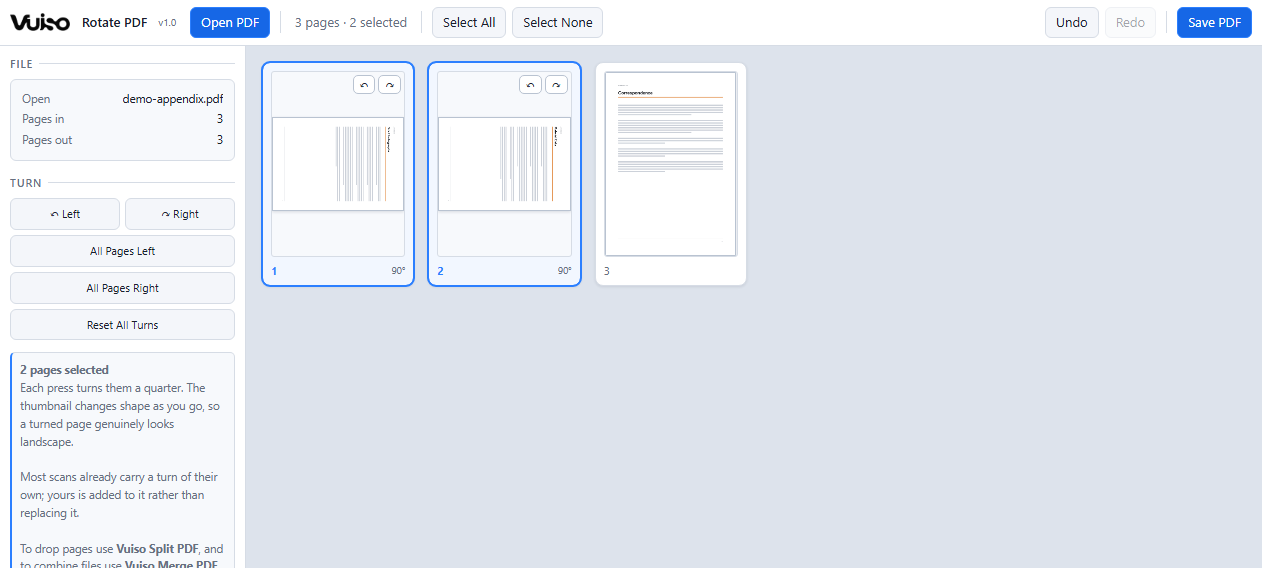
A turned page genuinely becomes landscape in the grid, so you can see it is right before you save.
Everything is drawn as vector and merged back into the original PDF, so it stays sharp at any zoom or print size, with labels that remain selectable, searchable text.
Turn a portrait page and its thumbnail genuinely becomes landscape, rather than staying a portrait box with sideways contents. You can see the document is right before you write it.
Most scans already carry a rotation of their own. A quarter turn here is added to whatever the page had, which is why a scan that arrived sideways ends up where you expect rather than somewhere arbitrary.
Click one page, SHIFT+click a run, or use All Pages - which is what a whole sideways scan usually needs. Every page also has its own turn buttons in the corner.
One button undoes every turn made here and puts the document back as it arrived, without reopening the file.
Thumbnails are drawn only as they scroll into view, and the cache holding them is capped, so a long scan does not sit on hundreds of megabytes of pictures.
Only the rotation flag changes. Page content is copied across untouched, so nothing loses quality and a searchable PDF stays searchable.
Most free online PDF tools upload your file to somebody's server. This one
cannot, even if it wanted to. The page ships with a Content-Security-Policy of
connect-src 'none', which means the browser itself refuses to let it
open a network connection.
Check it yourself: press F12, open the Network tab, and use the app all day. It stays empty. DevTools is left working and console errors are not suppressed, precisely so the claim stays testable.
Turning acts on the pages you have selected, or on all of them with the All Pages buttons.
Version 1.10.9 MBChrome or EdgeWindows, macOS, Linux
Launch without downloading DownloadOne file at a time. To combine several use Vuiso Merge PDF, and to drop pages use Vuiso Split PDF. Only the rotation flag is changed; page content is copied across untouched.